Exam AB-730: Microsoft AI Business Professional Section 1
Exam AB-730: Microsoft AI Business Professional
HOTSPOT - Select the answer that correctly completes the sentence.
You are a marketing assistant preparing for a budget meeting with your manager.
You need to evaluate key spending and performance trends from the last year to understand which marketing channels deliver the best return on investment (ROI).
What should you use in Microsoft 365 Copilot to achieve the goal? More than one answer choice may achieve the goal. Select the BEST answer.
HOTSPOT - Select the answer that correctly completes the sentence.
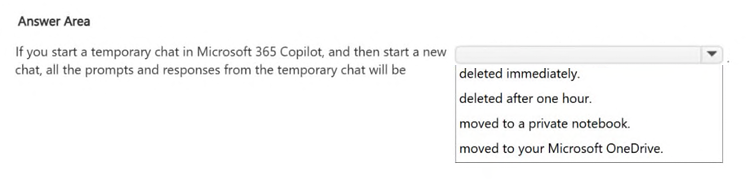
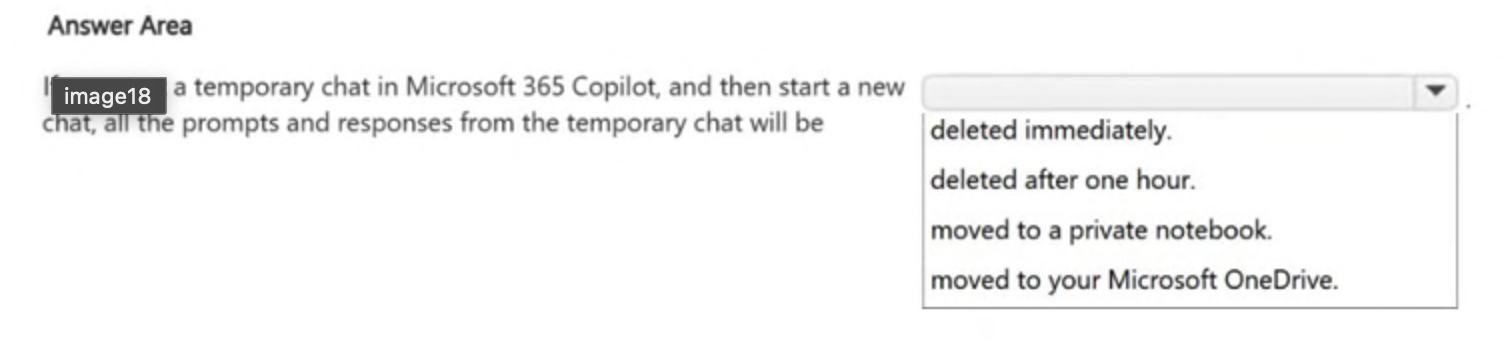
If you start a temporary chat in Microsoft 365 Copilot, and then start a new chat, all the prompts and responses from the temporary chat will be _______.
You create a Microsoft 365 Copilot notebook and add a file named Process.docx from a Microsoft SharePoint site as a reference. Yesterday, a user updated Process.docx in the SharePoint site. What will occur when you chat in the notebook?
You are creating a prompt in Microsoft 365 Copilot to get information about a proposal.
You need to ensure that the response is grounded in the proposal's information.
What is the best approach to achieve the goal? More than one answer choice may achieve the goal. Select the BEST answer
A colleague from another company shares a link to a prompt.
When you select the link, you receive the following response: "Prompt not found. Sorry, it looks like the prompt is no longer available."
What is a possible cause of the response?
You are using Microsoft 365 Copilot to enhance your productivity in Microsoft Excel.
Which two tasks can you achieve by using Copilot in Excel? Each correct answer presents a complete the solution.
NOTE: Each correct selection is worth one point.
HOTSPOT - Select the answer that correctly completes the sentence.
You use Microsoft 365 Copilot to generate a training plan. You need to check if there are any existing training plans in your organization that are similar to the new training plan. What should you use in Copilot?
You are using Microsoft 365 Copilot to plan a trip and have asked Copilot to remember several details about the trip. You cancel the trip plans. You need to ensure that Copilot forgets the details. What should you do?
You are using Microsoft 365 Copilot to enhance your productivity in Microsoft Outlook.
Which two tasks can you achieve by using Copilot in Outlook? Each correct answer presents a complete the solution.
NOTE: Each correct selection is worth one point.
HOTSPOT - Select the answer that correctly completes the sentence.
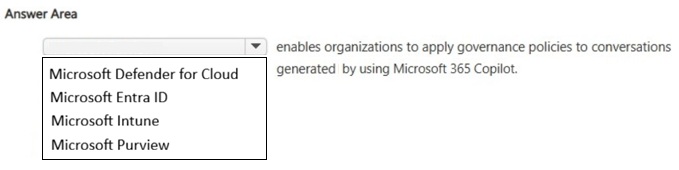
HOTSPOT - Select the answer that correctly completes the sentence.
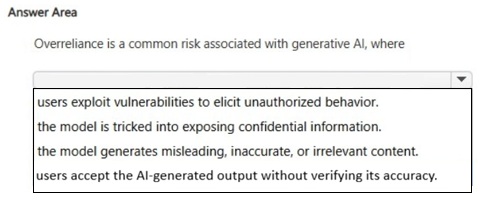
You create a Microsoft 365 Copilot notebook and add a file named Process.docx from a local folder. Yesterday, you updated Process.docx in the local folder. What will occur when you chat in the notebook?
HOTSPOT - Select the answer that correctly completes the sentence.
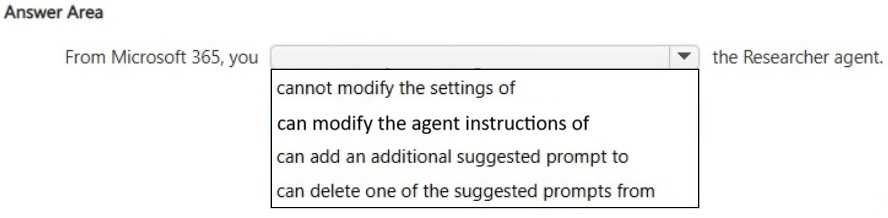
HOTSPOT - For each of the following statements, select Yes if the statement is true. Otherwise, select No. NOTE: Each correct selection is worth one point.
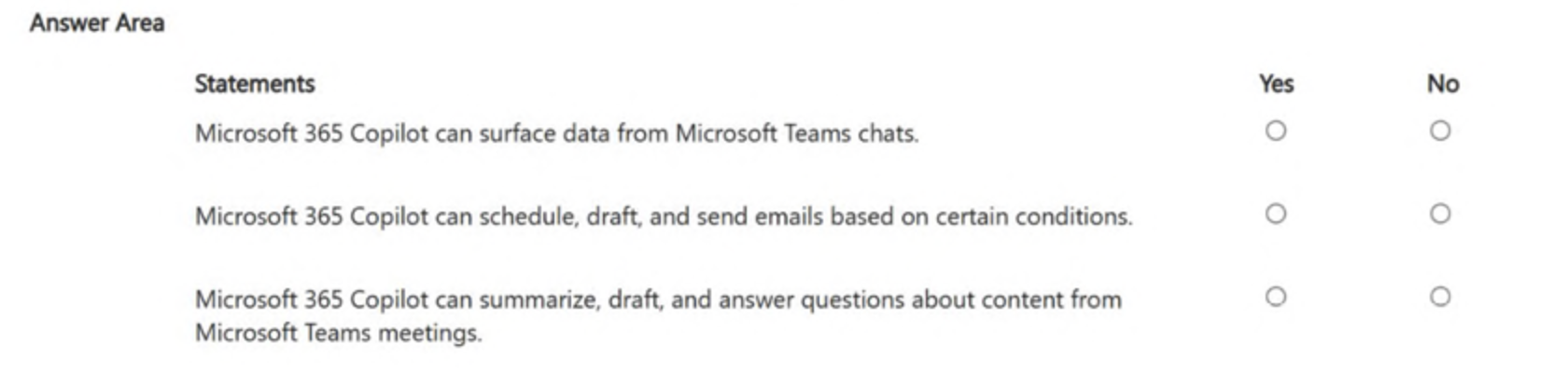
HOTSPOT - You use Microsoft 365 Copilot. For each of the following statements, select Yes if the statement is true. Otherwise, select No. NOTE: Each correct selection is worth one point.
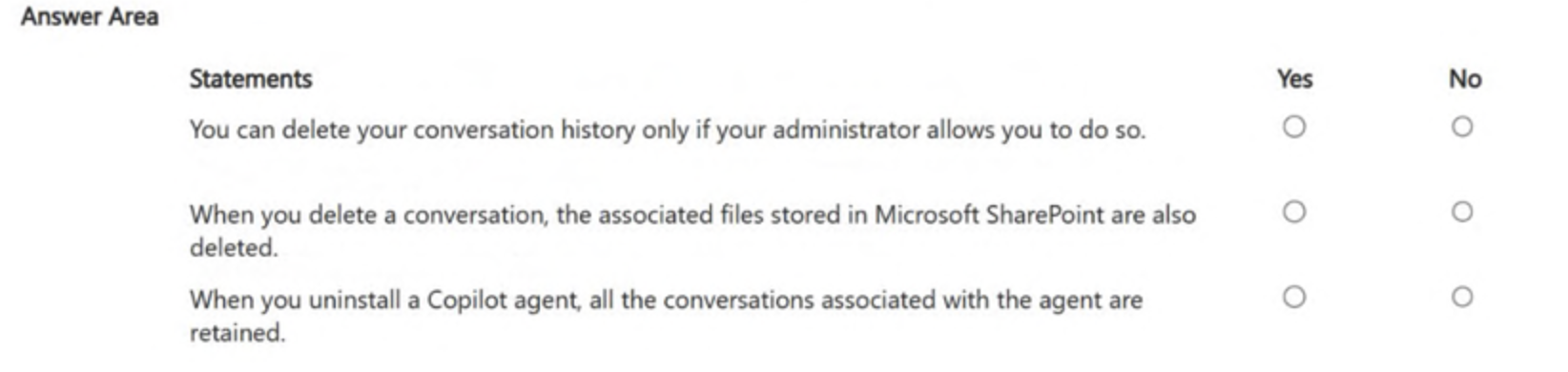
You create a prompt in Microsoft 365 Copilot to help you create a draft project report. You need the prompt to be available in the Copilot Prompt Gallery. What should you do first?
HOTSPOT - For each of the following statements, select Yes if the statement is true. Otherwise, select No. NOTE: Each correct selection is worth one point.
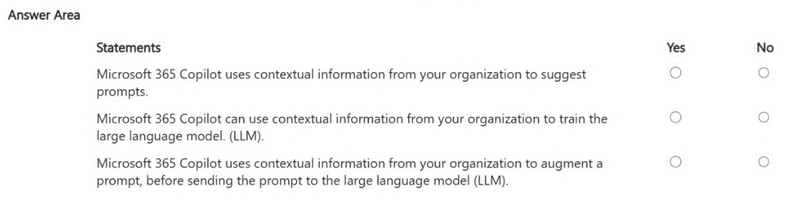
You plan to use a notebook in Microsoft 365 Copilot. What is the purpose of a notebook?
You are a project coordinator for a small consulting firm. You are responsible for tracking client communications, managing project timelines, and preparing weekly status updates for internal stakeholders. You have a Microsoft 365 Copilot license. You create an agent to help you monitor project milestones, follow up on client emails, and generate weekly summary reports. With whom can you share the agent?
You are using Microsoft 365 Copilot to enhance your productivity in Microsoft Teams.
Which two tasks can you achieve by using Copilot in Teams? Each correct answer presents a complete the solution.
NOTE: Each correct selection is worth one point.
You create a prompt in Microsoft 365 Copilot to help you create a draft project report. You need the prompt to be available in the Copilot Prompt Gallery. What should you do first?
HOTSPOT - You have a Microsoft 365 subscription. You do NOT have a Microsoft 365 Copilot license. For each of the following statements, select Yes if the statement is true. Otherwise, select No. NOTE: Each correct selection is worth one point.
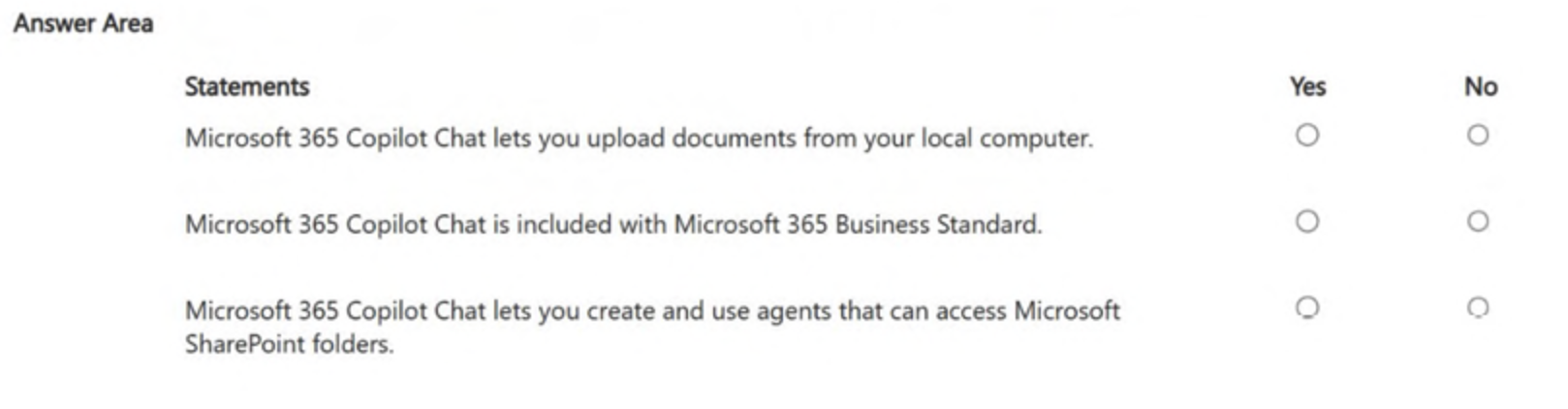
HOTSPOT - Select the answer that correctly completes the sentence.
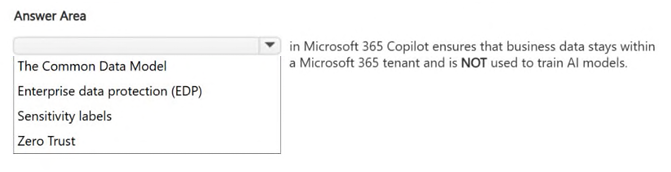
You have a Microsoft Excel workbook open that contains a table. The table contains sales data and the following columns:
• OrderDate
• OrderNumber
• Amount
You plan to use Microsoft Copilot in Excel to generate a monthly summary of the sales data in the table.
What should you include in the prompt to generate an effective summary?
More than one answer choice may achieve the goal. Select the BEST answer.
HOTSPOT - For each of the following statements, select Yes if the statement is true. Otherwise, select No. NOTE: Each correct selection is worth one point.
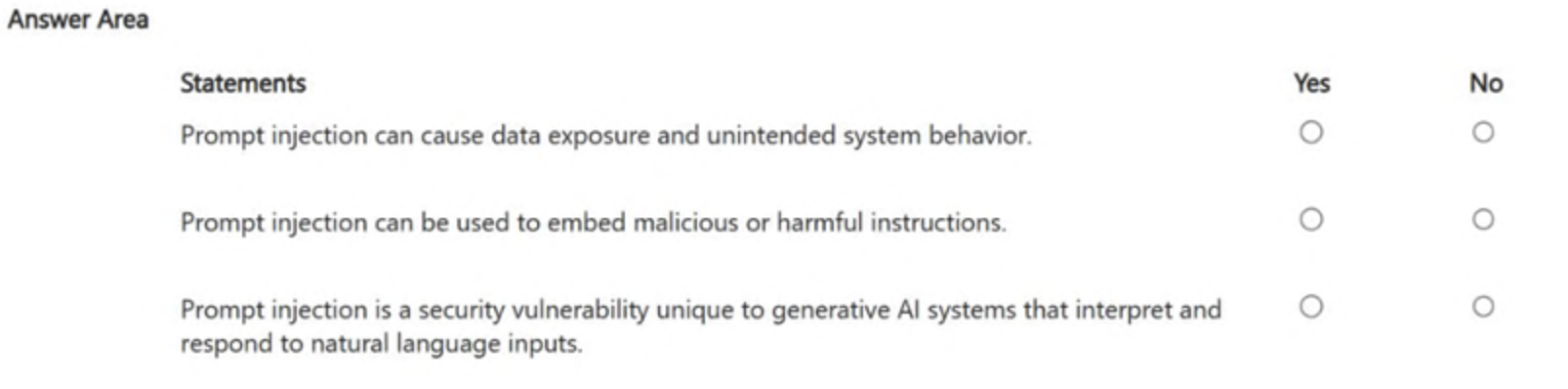
You have an open Microsoft 365 Copilot conversation. You need to chat with an agent named Agent1 during the conversation. What should you enter to call Agent1?
HOTSPOT - For each of the following statements, select Yes if the statement is true. Otherwise, select No. NOTE: Each correct selection is worth one point.
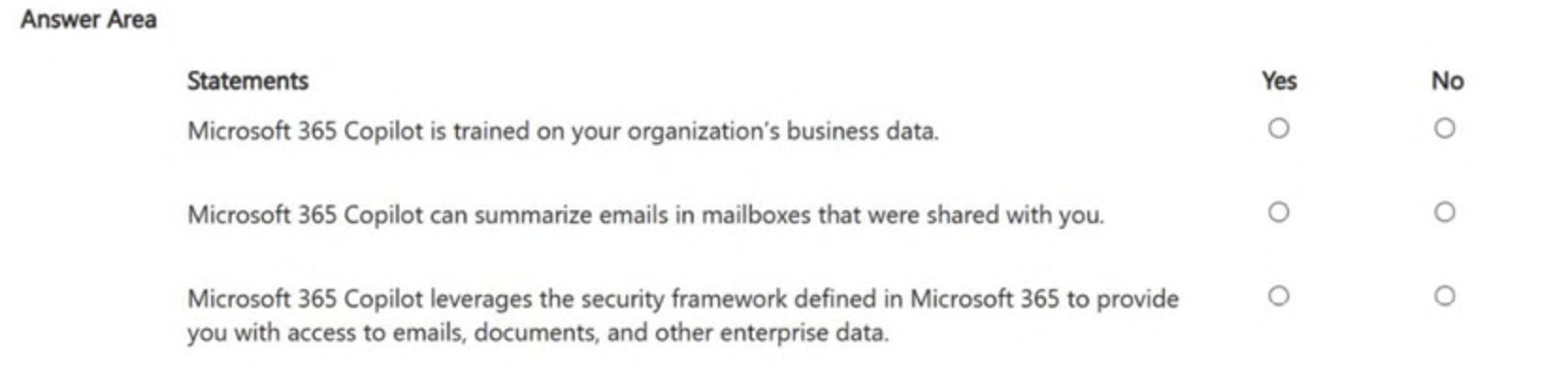
You need to improve prompt-grounding during a Microsoft 365 Copilot conversation.
What is the best approach to achieve the goal? More than one answer choice may achieve the goal. Select the BEST answer.
HOTSPOT - For each of the following statements, select Yes if the statement is true. Otherwise, select No. NOTE: Each correct selection is worth one point.
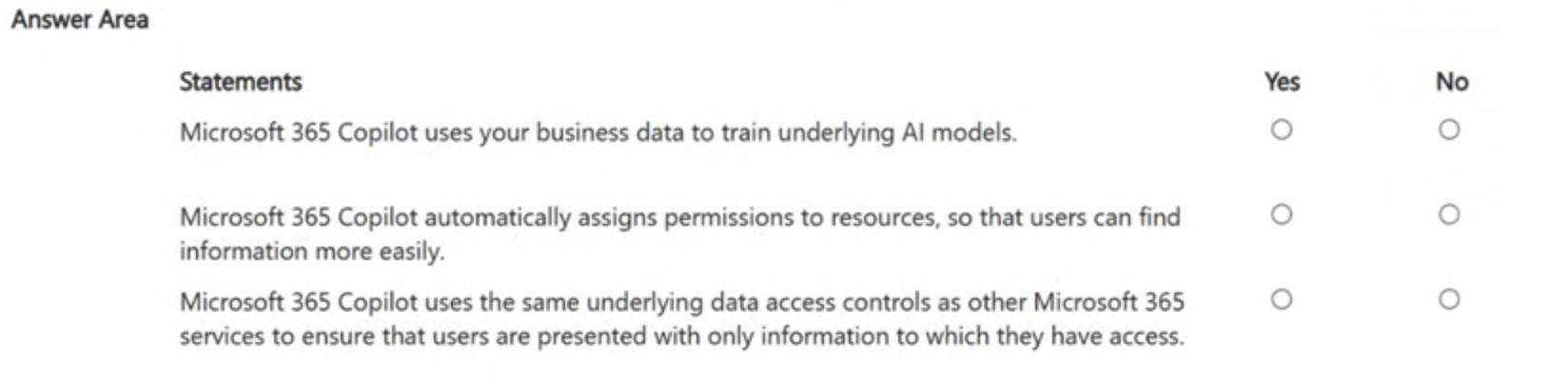
You have several pages in Microsoft 365 Copilot related to the research you are doing for a new product. You need to simplify your ability to have many different Copilot conversations about the pages. What should you do first?
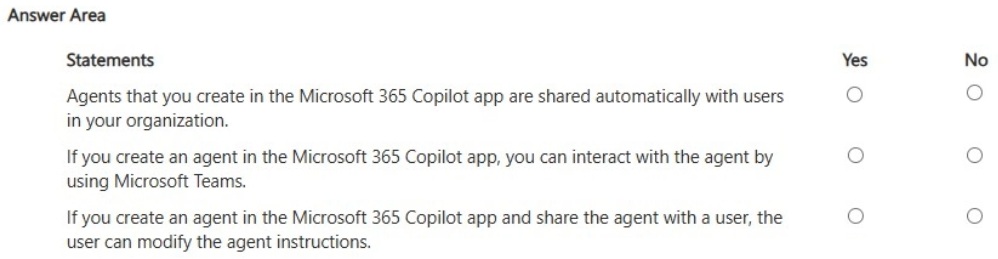
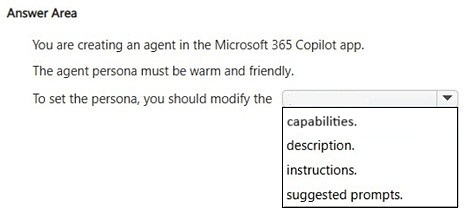
HOTSPOT - You create an agent in the Microsoft 365 Copilot app by using a template. For each of the following statements, select Yes if the statement is true. Otherwise, select No. NOTE: Each correct selection is worth one point.
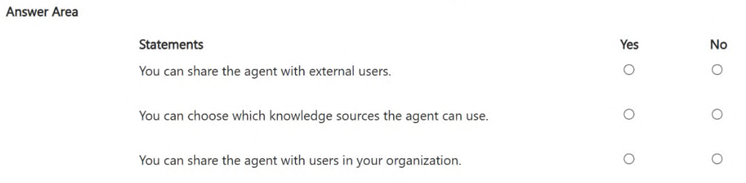
You receive several images from a colleague.
You suspect that the images were generated by using Microsoft 365 Copilot.
What can you use to verify whether the images were AI-generated?
You are using Microsoft 365 Copilot to enhance your productivity in Microsoft Word.
Which two tasks can you achieve by using Copilot in Word? Each correct answer presents a complete the solution.
NOTE: Each correct selection is worth one point.
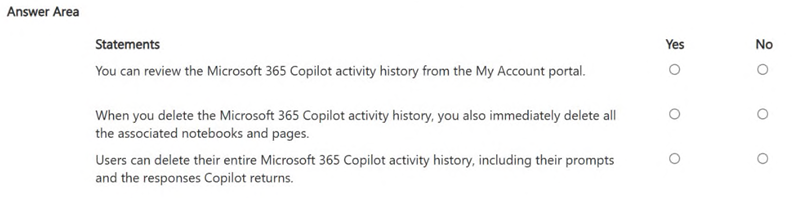
HOTSPOT - For each of the following statements, select Yes if the statement is true. Otherwise, select No. NOTE: Each correct selection is worth one point.
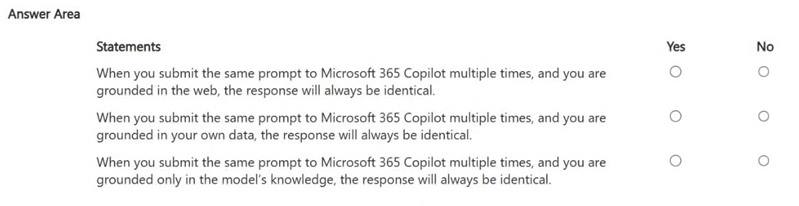
HOTSPOT - For each of the following statements, select Yes if the statement is true. Otherwise, select No. NOTE: Each correct selection is worth one point.
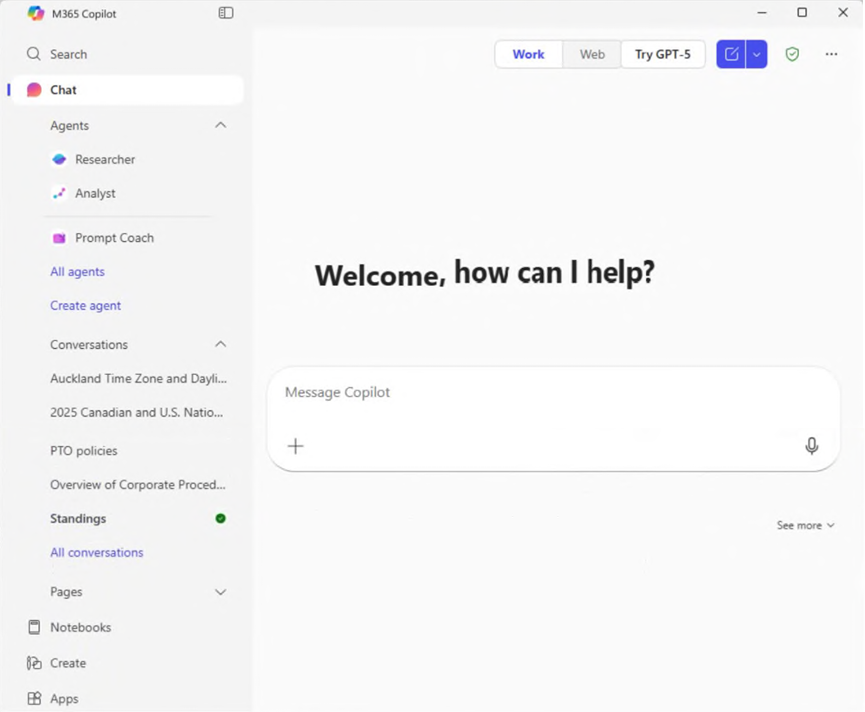
You open Microsoft 356 Copilot as shown in the following exhibit. What can you infer about the Standings conversation?
You have several pages in Microsoft 365 Copilot related to the research you are doing for a new product. You need to simplify your ability to have many different Copilot conversations about the pages. What should you do first?
You have a Microsoft 365 subscription. You do NOT have a Microsoft 365 Copilot license. When you send a prompt in Microsoft 365 Copilot Chat, which three sources does Copilot Chat use to respond? Each correct answer presents part of the solution. NOTE: Each correct selection is worth one point.
You are creating a custom analytics agent in the Microsoft 365 Copilot app. The agent will use Microsoft Excel files that contain sales data as knowledge. You need to ensure that the agent can create visualizations, perform mathematical operations, create aggregations, and analyze the data in the files. What should you add to the agent?
You are creating a custom analytics agent in the Microsoft 365 Copilot app. The agent will use Microsoft Excel files that contain sales data as knowledge. You need to ensure that the agent can create visualizations, perform mathematical operations, create aggregations, and analyze the data in the files. What should you add to the agent?
You are a merchandiser who is planning for the upcoming season.
You prompt Microsoft 365 Copilot to suggest which products to stock based on historical sales data. Without reviewing the suggestions or checking current market trends, you place a large order based solely on the output of Copilot.
What is this an example of?
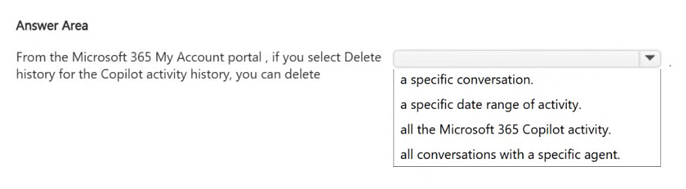
You use Microsoft 365 Copilot. You discover that you had a conversation that used a knowledge source that contains confidential information. You need to delete the conversation data without requiring administrative approval. You must retain your other conversations, if possible. What should you use?
You ask Microsoft 365 Copilot to create a report based on information from the web. You verify the response and discover that some information is fictional. What is this an example of?
HOTSPOT -
Select the answer that correctly completes the sentence.
You are discussing Microsoft 365 Copilot with a colleague. The colleague asks which data Copilot uses to answer questions when using the Work scope. What should you tell your colleague?
You run a saved prompt and receive the following response: "You asked for a summary of File.docx. However, the file appears to be either empty, corrupted, or in a format that I cannot process."
What is a possible cause of the response?
You use Microsoft 365 Copilot. You regularly upload the same five files to Copilot chats. You need to simplify referencing the files in the chats. What are two ways to achieve the goal? Each correct answer presents a complete solution. NOTE: Each correct selection is worth one point.
You have several separate Microsoft 365 Copilot conversations. You need to gather the conversations so that you can find them more easily, and the conversations can share the same reference material. What is the best solution to achieve the goal? More than one answer choice may achieve the goal. Select the BEST answer.
You have a Microsoft 365 Copilot license.
You are preparing a business presentation by using Copilot in PowerPoint.
Which two tasks can you achieve by using Copilot in PowerPoint? Each correct answer presents a complete the solution.
NOTE: Each correct selection is worth one point.
You ask Microsoft 365 Copilot to create a report based on information from the web. You verify the response and discover that some information is fictional. What is this an example of?
You are using Microsoft 365 Copilot to plan a trip and have asked Copilot to remember several details about the trip. You cancel the trip plans. You need to ensure that Copilot forgets the details. What should you do?
HOTSPOT - From Microsoft 365 Copilot, you add custom instructions. For each of the following statements, select Yes if the statement is true. Otherwise, select No. NOTE: Each correct selection is worth one point.
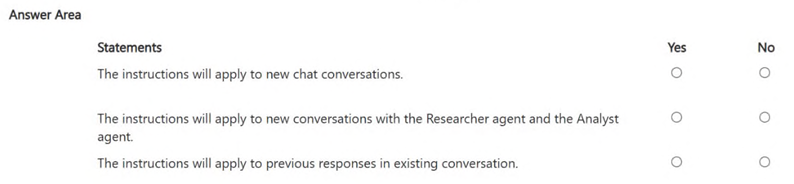
HOTSPOT - For each of the following statements, select Yes if the statement is true. Otherwise, select No. NOTE: Each correct selection is worth one point.
You use the Researcher agent in Microsoft 365 Copilot to generate a report. What can you use to verify whether the report was generated by using valid sources?
You use Microsoft 365 Copilot. You need to delete all your conversations by using the least amount of effort. What is the best approach to achieve the goal? More than one answer choice may achieve the goal. Select the BEST answer.
HOTSPOT - For each of the following statements, select Yes if the statement is true. Otherwise, select No. NOTE: Each correct selection is worth one point.